
How do I buy a ticket from a seller?
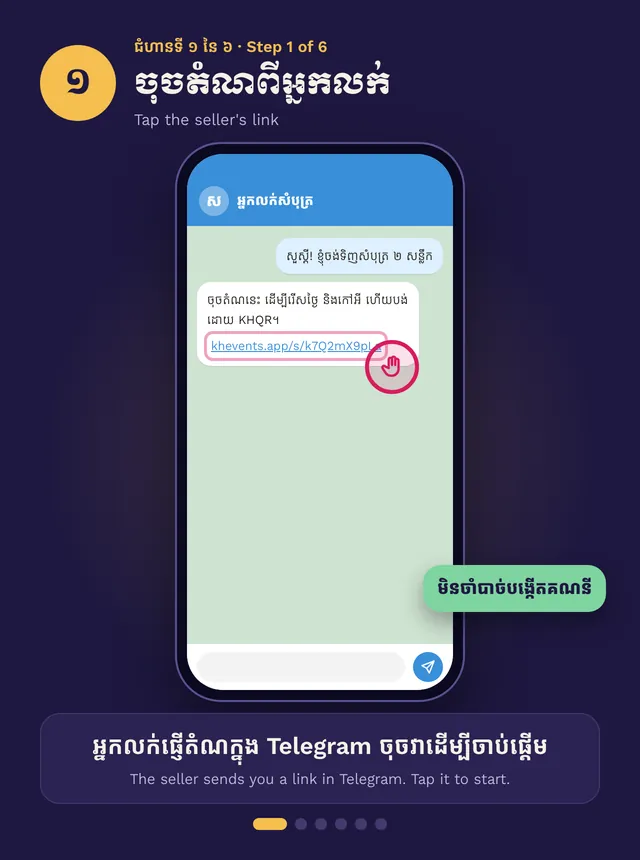
The seller sends you a link in Telegram. Open it, pick the night and seats, add your phone number, then pay with KHQR.
Quick steps
- Tap the link the seller sent you
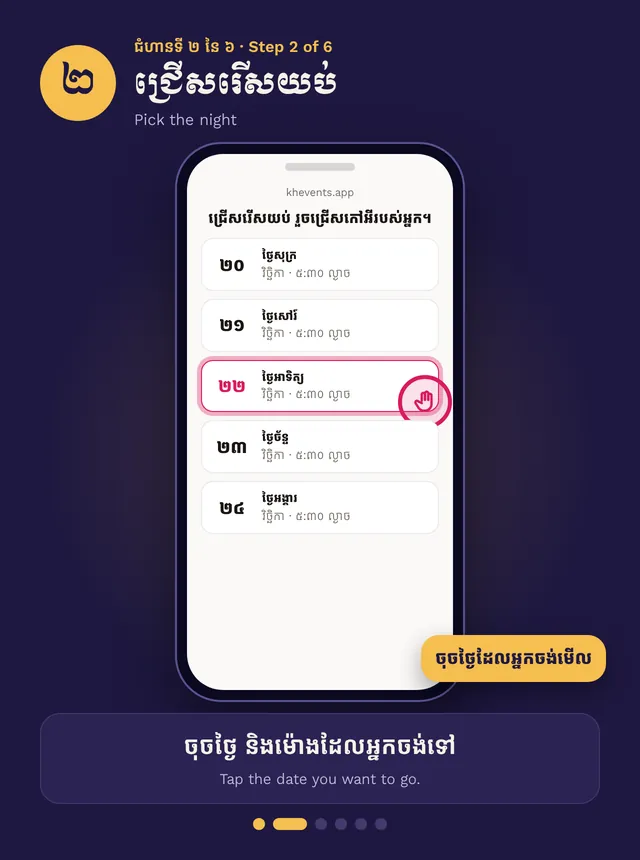
- Pick the night, then your seats
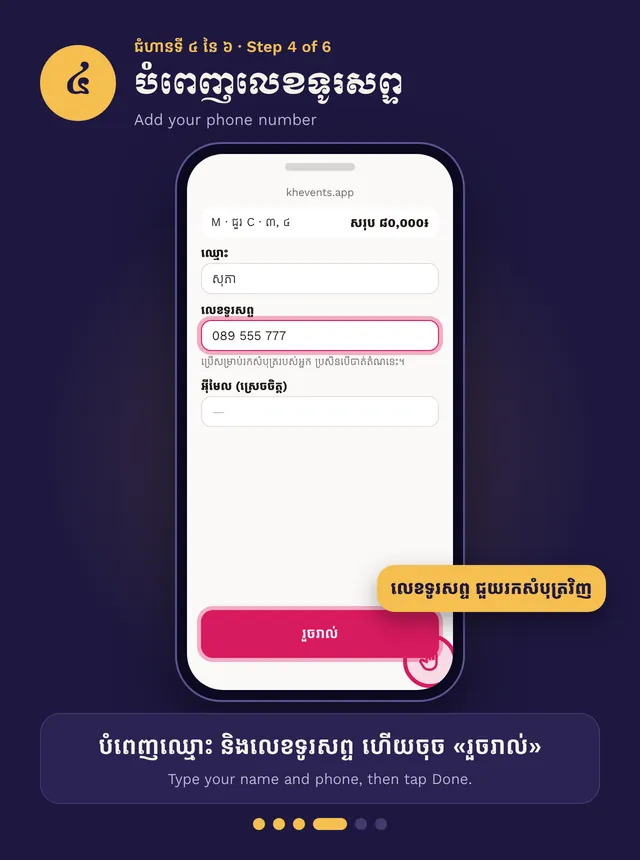
- Type your name and phone number
- Pay with KHQR and send the receipt
- Keep the link: your ticket shows there
Step by step, in pictures
How to buy a ticket · Swipe for the next step. Tap a picture to open it big.
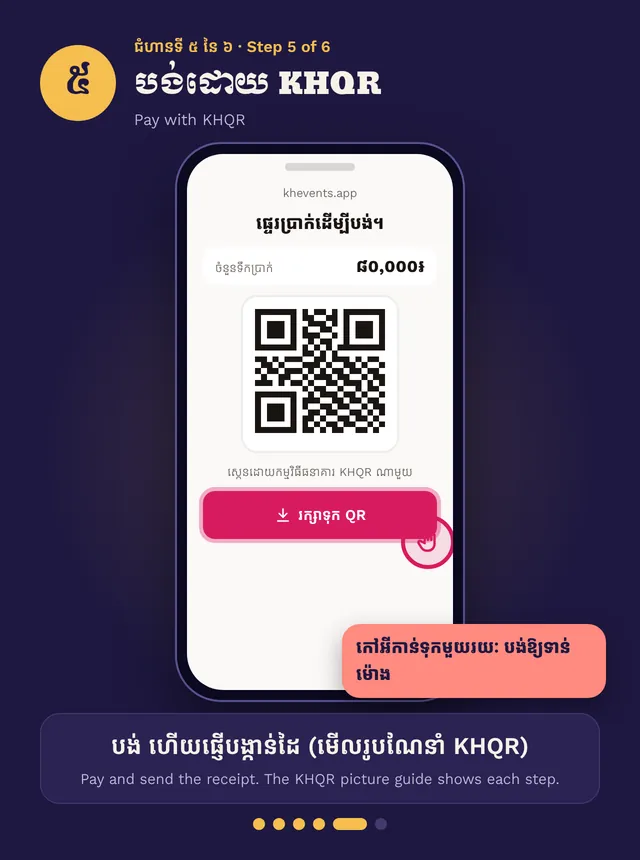
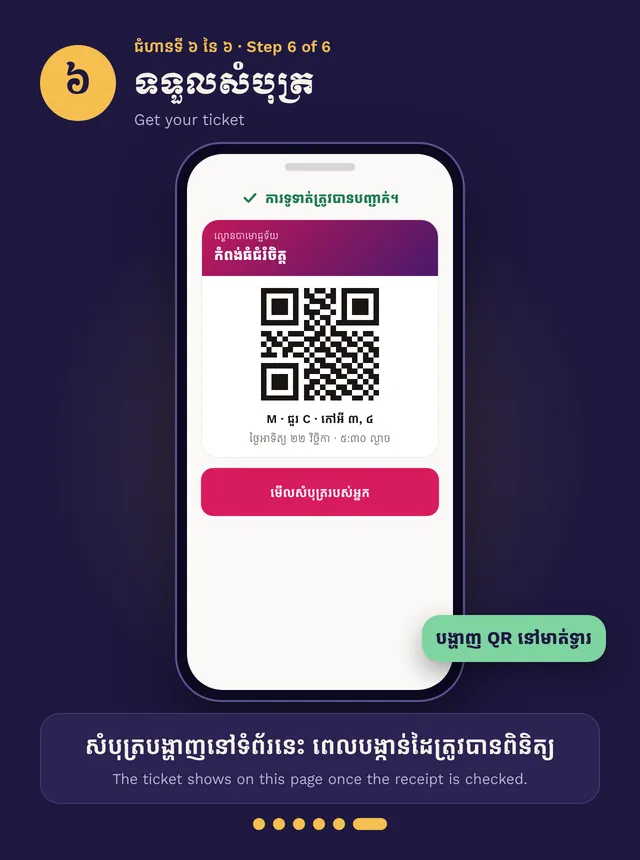
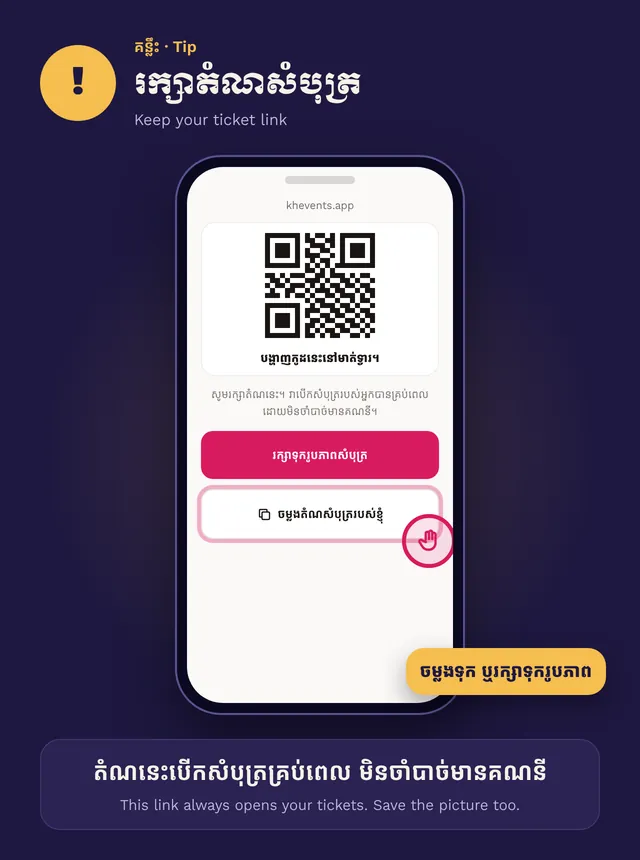
You don’t need an account. Everything happens on the link the seller sends you.
Pick your seats
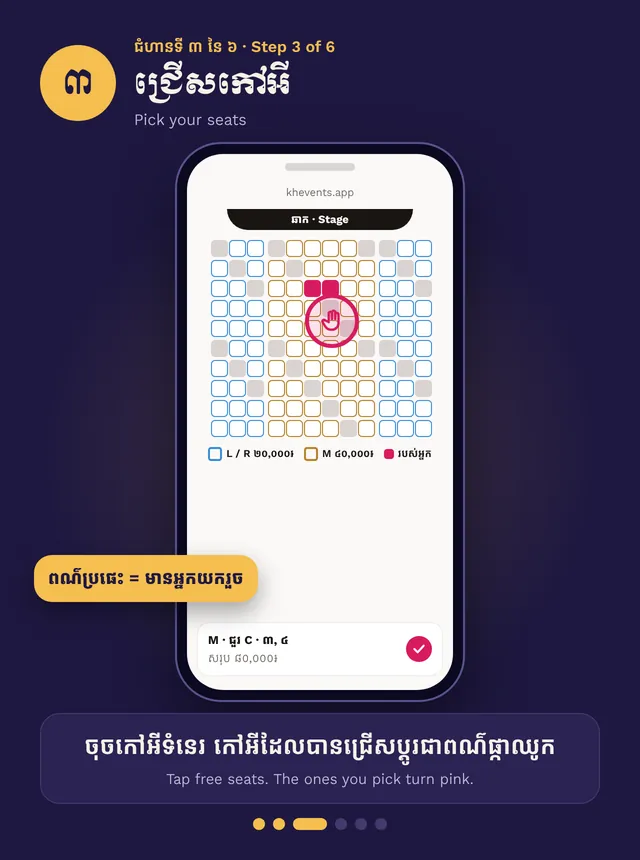
Tap the night you want, then tap free seats on the map. Grey seats are taken. Your seats turn pink. They are held for a few minutes, so keep going.
Add your details
Type your name and phone number, then tap Done. Email and Telegram name are optional. Your phone number helps the seller find your ticket if you lose the link.
Pay and get your ticket
Pay with KHQR in your bank app, then send a screenshot of the receipt on the same page. See Paying with KHQR for each step.
The team checks your receipt. Then your ticket shows on the same page. Do not pay twice.
Keep the link
The link always opens your ticket. Save it, or tap Save ticket images to keep a picture.
One link is for one buyer. If it says it is open on another phone, ask the seller for your own link.