
How do I pay with KHQR?
Scan the KHQR in your bank app, pay the exact amount, then send a screenshot of the receipt. Your ticket comes after the team checks it.
Quick steps
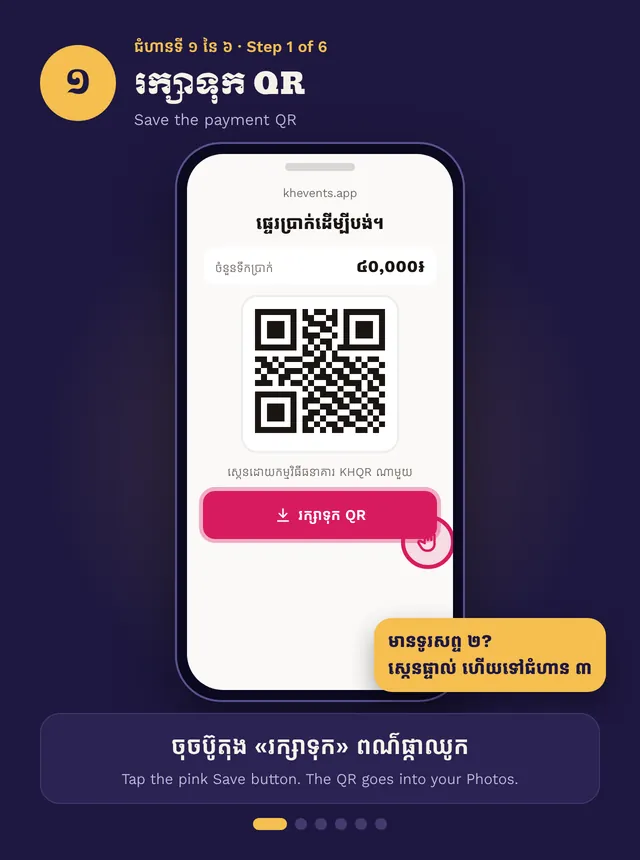
- Tap Save to keep the QR in your Photos
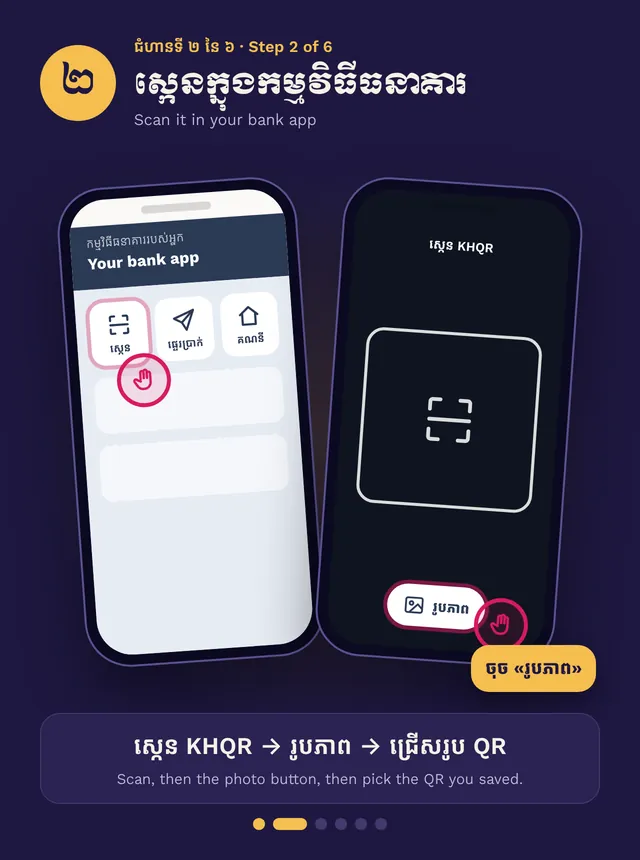
- In your bank app, scan the QR from your Photos
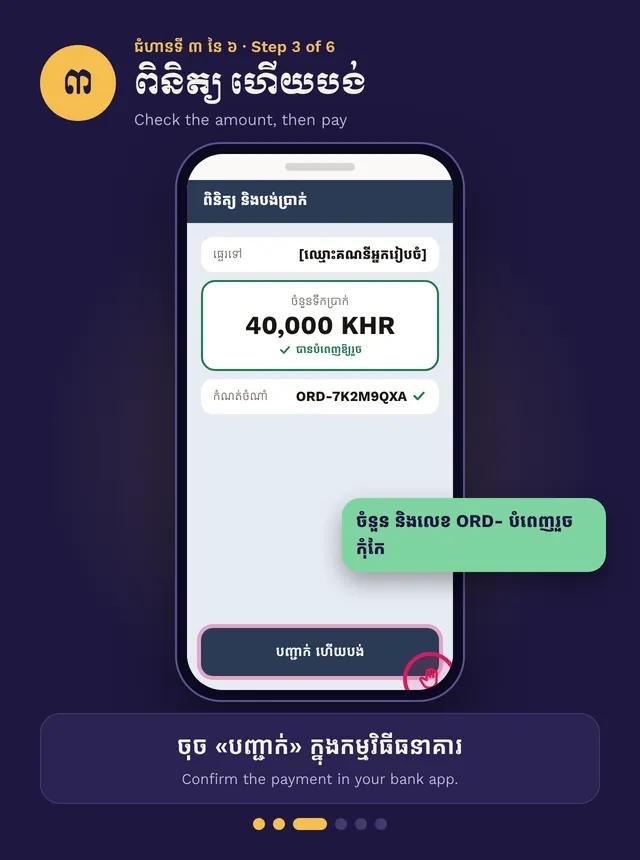
- Check the amount and pay
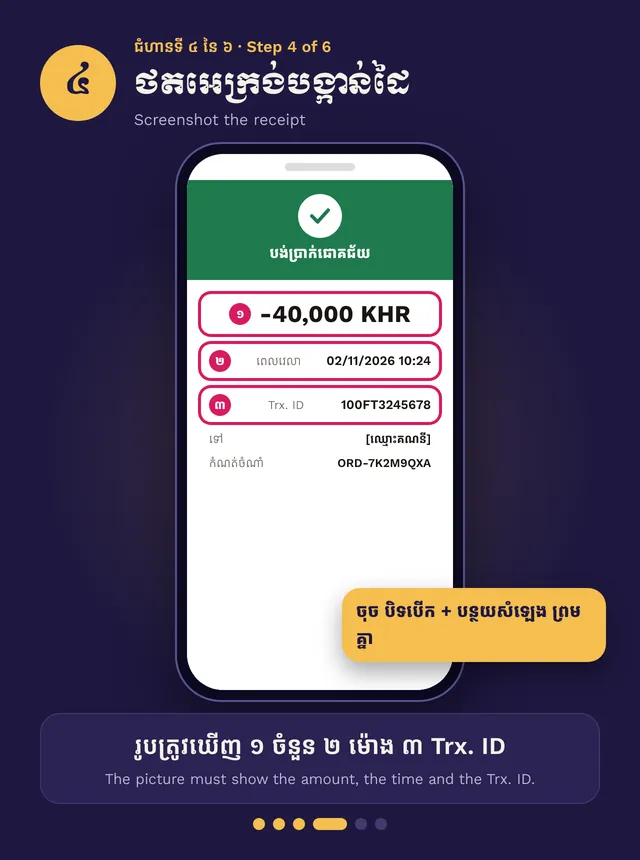
- Screenshot the bank receipt
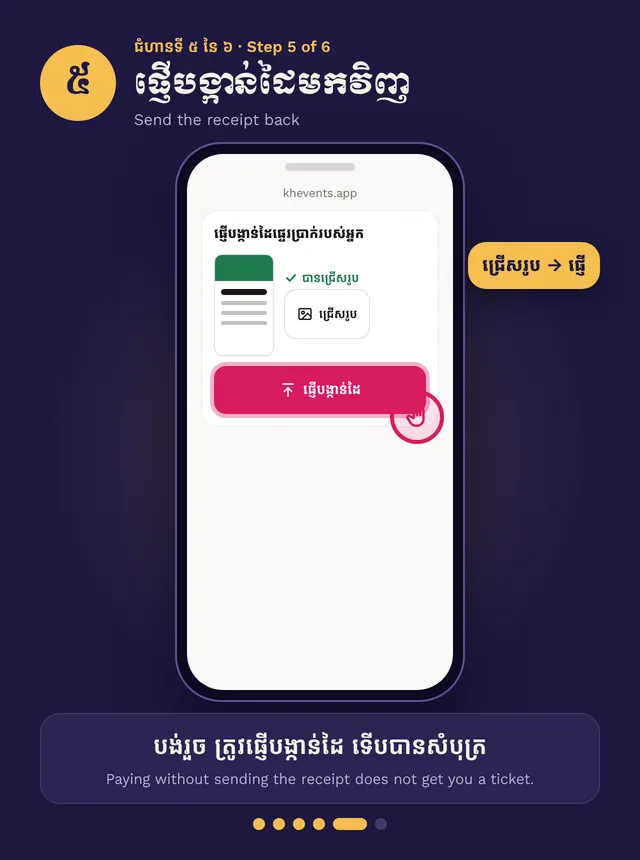
- Send the screenshot on the payment page
Step by step, in pictures
Pay with KHQR and send the receipt · Swipe for the next step. Tap a picture to open it big.
KHEvents does not take cards. You pay the organizer’s bank by KHQR or bank transfer, then send the receipt.
Pay
The payment page shows the amount, a reference (it starts with ORD-), and the time you have left to pay.
- Two phones? Scan the QR on the screen with your bank app.
- One phone? Tap Save to keep the QR in your Photos. In your bank app, tap scan, then the photo button, and pick the QR.
The amount and reference are filled in. Don’t change them. Confirm the payment.
Send the receipt
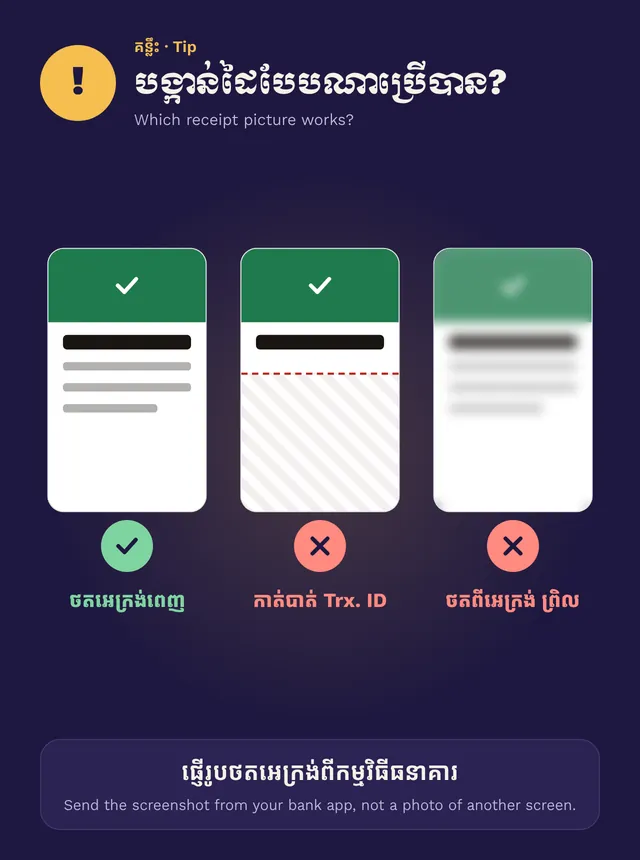
Take a screenshot of the bank receipt. It must show the amount, the time and the Trx. ID. Go back to the payment page, choose the screenshot and send it.
Paying without sending the receipt does not get you a ticket.
Wait for your ticket
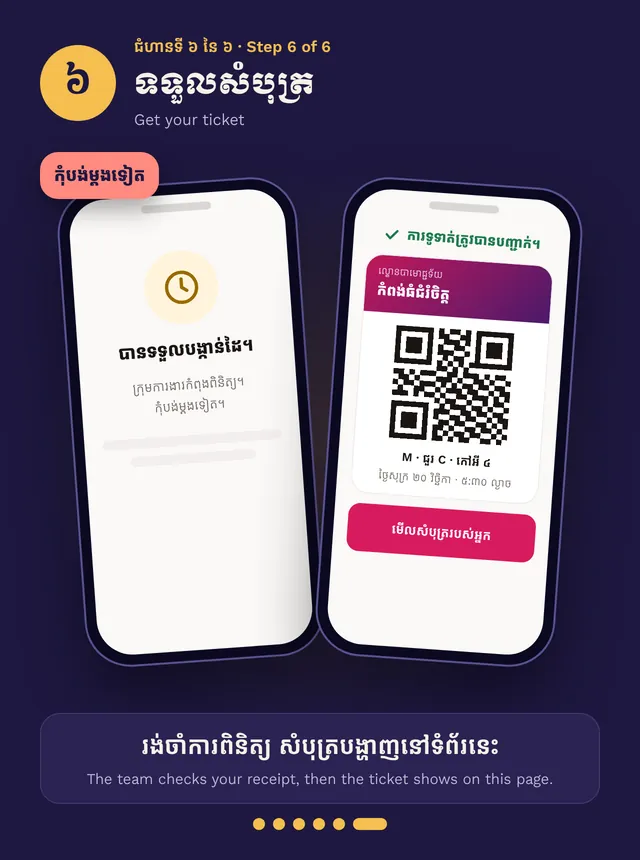
The organizer checks every receipt by hand. Your seats stay held while they check. When it is approved, your ticket shows on the page and we email you. Don’t pay again.
Never share your bank password, PIN or a one-time code. Paying only needs the transfer and a screenshot.