
Checking payment receipts
Buyers send a screenshot of their payment. Check it against your bank app, then approve to send the ticket, or reject with a reason.
Quick steps
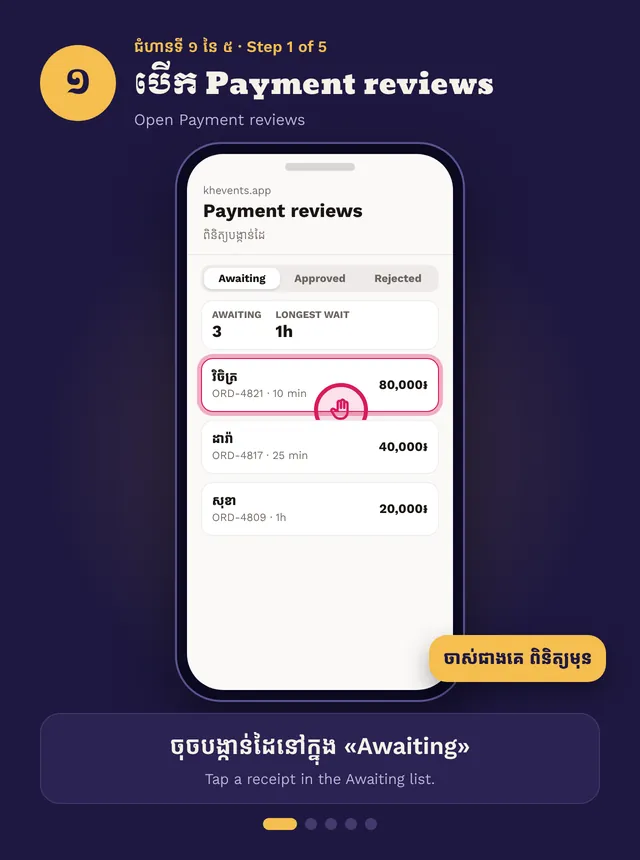
- Open Payment reviews, tap a receipt under Awaiting
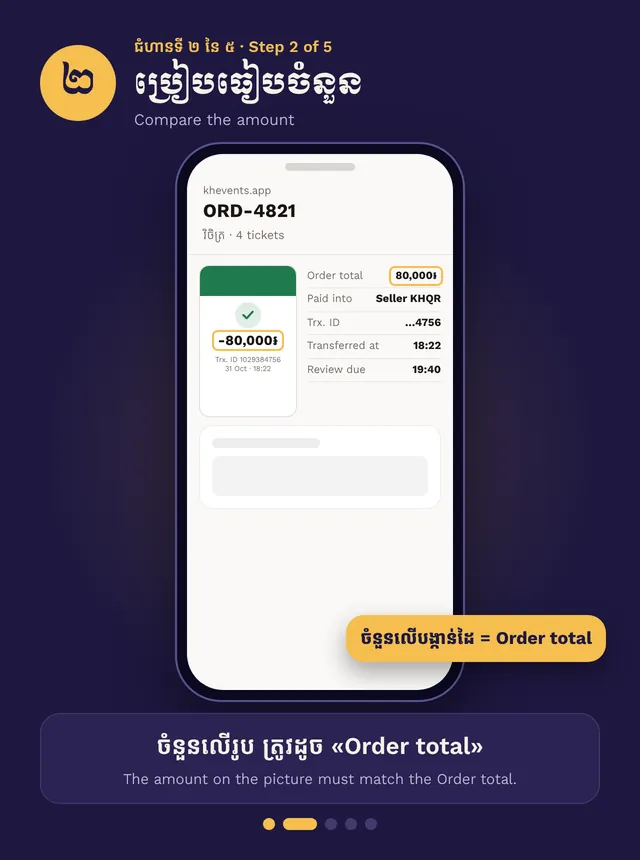
- Find the money in your bank app
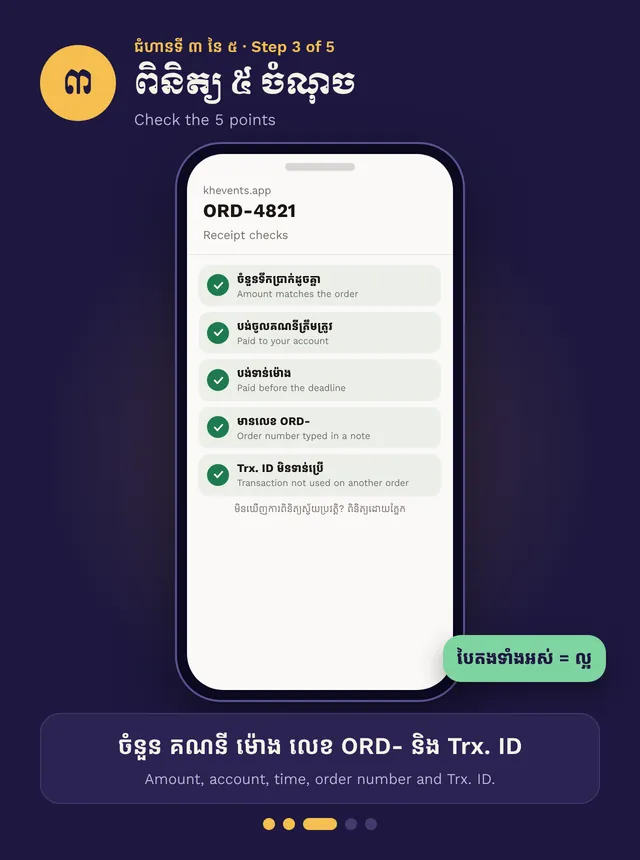
- Check amount, account, time, order number and Trx. ID
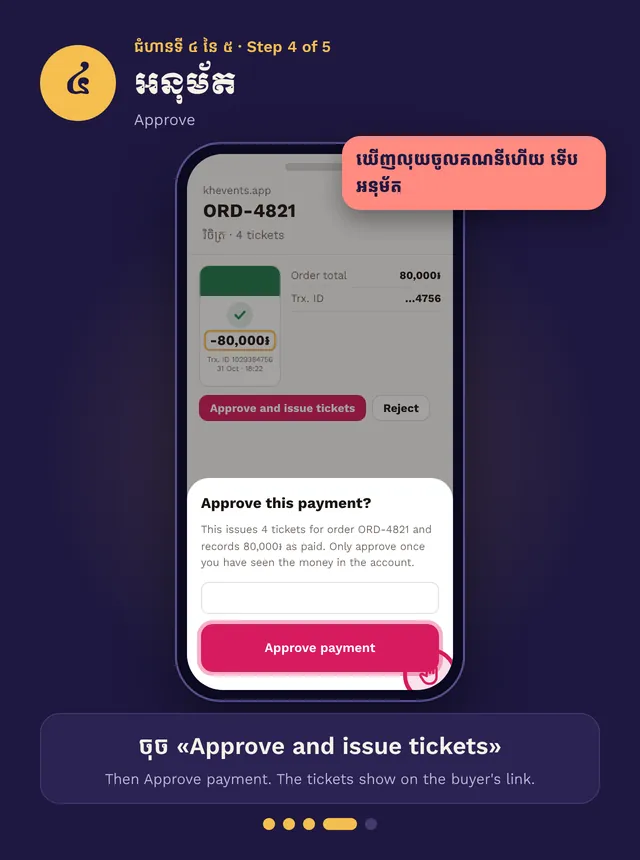
- Approve and issue tickets, or Reject with a reason
Step by step, in pictures
Check payment receipts · Swipe for the next step. Tap a picture to open it big.
Owners and Managers can check receipts, and anyone given Can review payments. You can’t review your own order.
Check it
Open Payment reviews and tap a receipt under Awaiting. Oldest first. Open your bank app and find the payment. Check five things:
- The amount matches the Order total.
- It went into your account.
- The time makes sense.
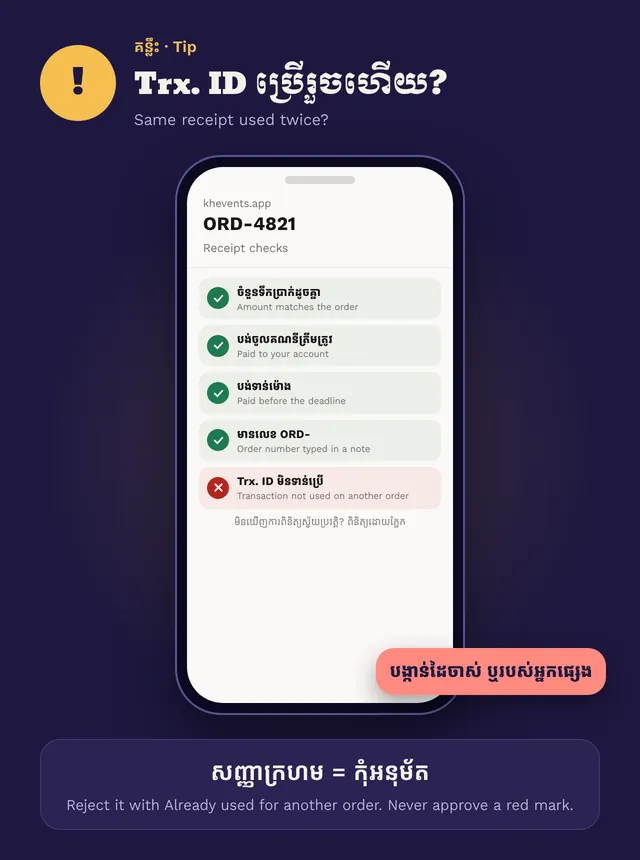
- The order number (ORD-…) is in the note, if they added it.
- The Trx. ID hasn’t been used before. A red mark means it was used on another order.
Approve
Only when you see the money in your bank app: tap Approve and issue tickets. The ticket shows on the buyer’s link straight away.
Reject
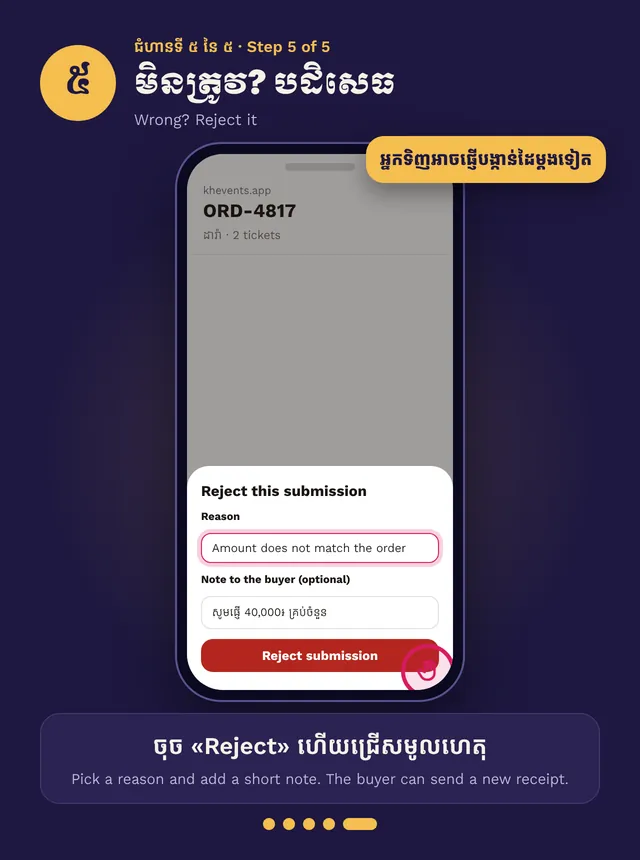
Tap Reject, pick a reason and add a short note for the buyer. They can send a new receipt within 6 hours, except for Already used for another order, which cancels the order.
Check receipts within 24 hours. If a receipt waits too long, the seats are released and the buyer is told.