
Selling at the box office
Pick the buyer’s seats on the map, take cash or KHQR, then print the tickets. You can also record a sale or reserve seats to pay later.
Quick steps
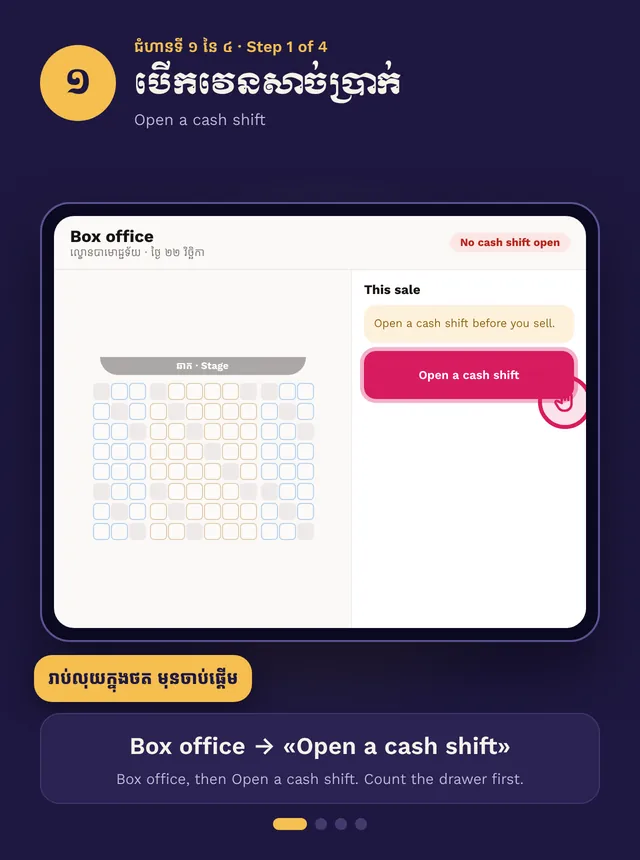
- Box office → open a cash shift (if asked)
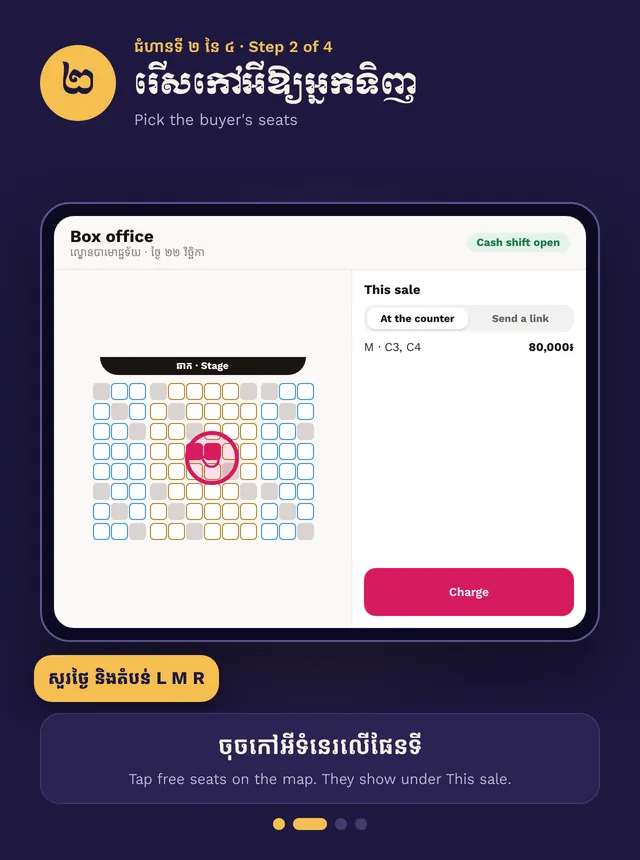
- Ask the night and zone, tap free seats
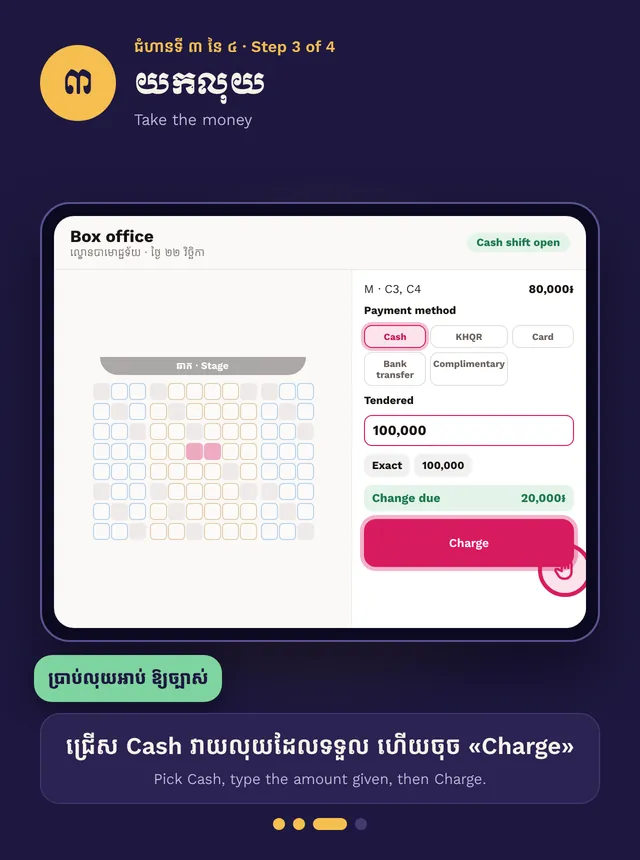
- Pick Cash or KHQR and tap Charge
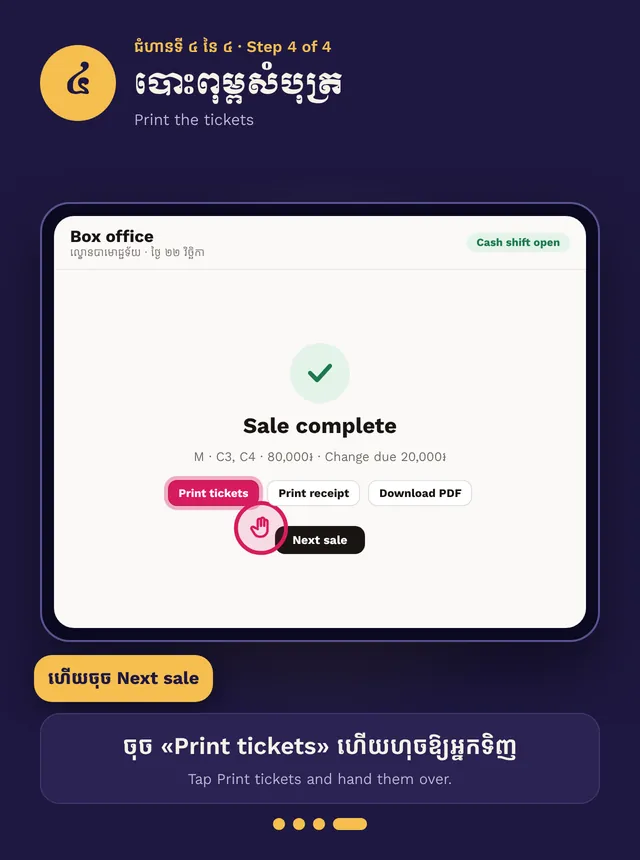
- Print the tickets, then Next sale
Step by step, in pictures
Sell at the box office · Swipe for the next step. Tap a picture to open it big.
Turn on Staff ticket sales first. See Selling with your team.
Open the till
Open your event, then Box office. If cash management is on, count the drawer and tap Open a cash shift.
Make a sale
- Ask which night and zone. Tap free seats on the map. They show under This sale.
- Add the buyer name, or tap Use walk-in buyer.
- Cash: pick Cash, type the amount given, then Charge. The change shows on screen.
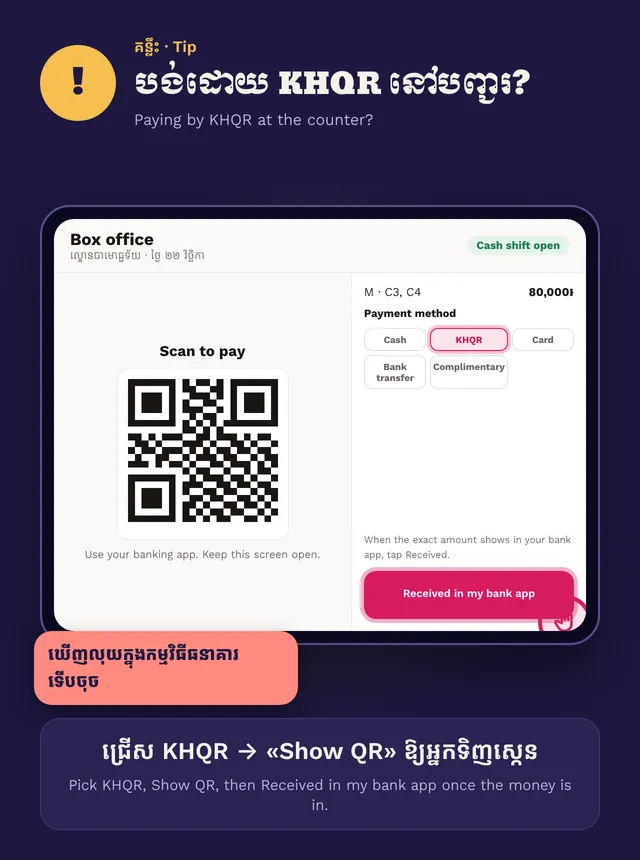
- KHQR: pick KHQR and Show QR. Tap Received in my bank app only when you see the money in your bank app.
- Tap Print tickets and hand them over. Then Next sale.
Other ways
- Record payment: the buyer already paid another way, such as card or bank transfer. Complimentary is a free ticket.
- Reserve tickets: hold seats and take money later. Set the hours to hold. Unpaid holds go back on sale by themselves. To settle one, open the order and tap Record payment.
Lost connection? Sales can’t be recorded until it comes back.