
Selling tickets on Telegram
Share one link in every Telegram chat. Buyers pick seats and pay on it. The team checks each receipt, then you send the ticket link.
Quick steps
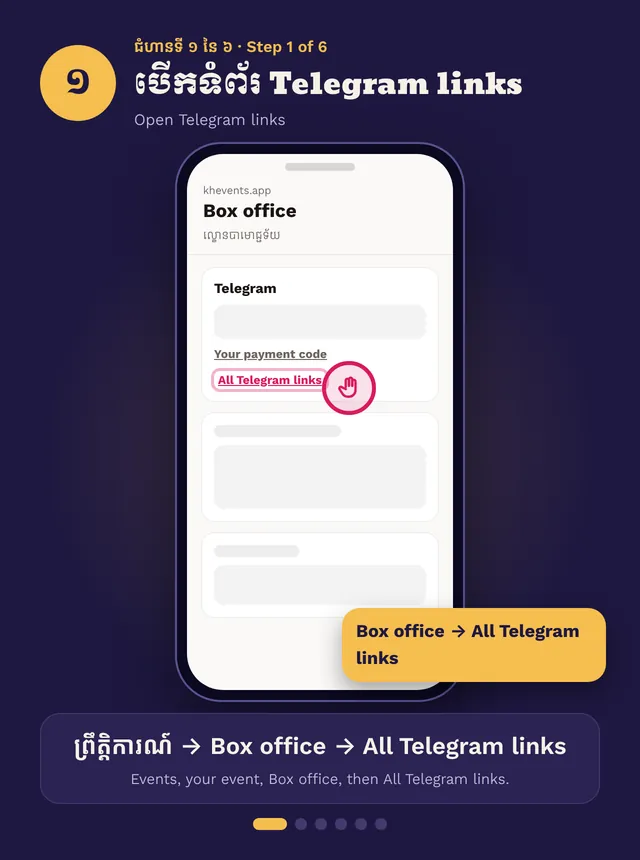
- Box office → All Telegram links
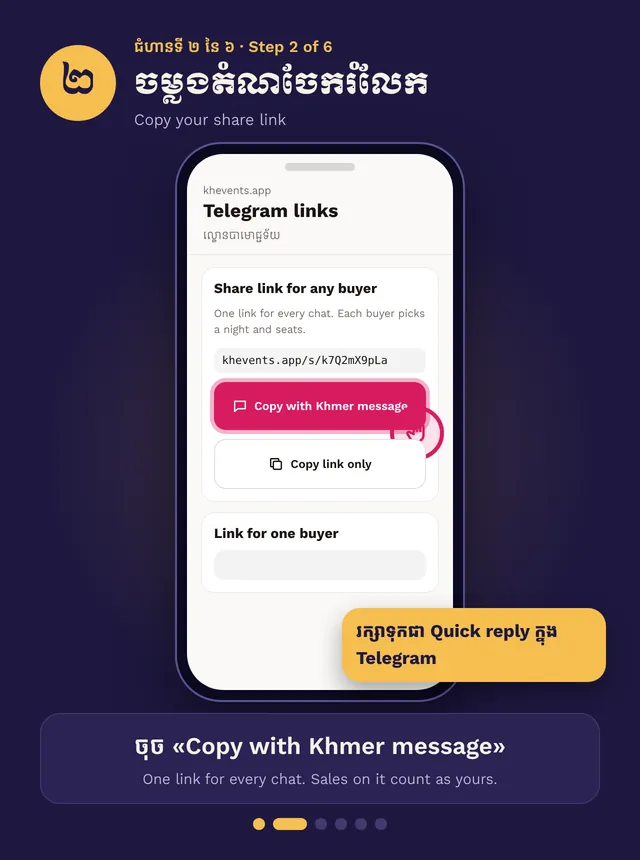
- Tap Copy with Khmer message
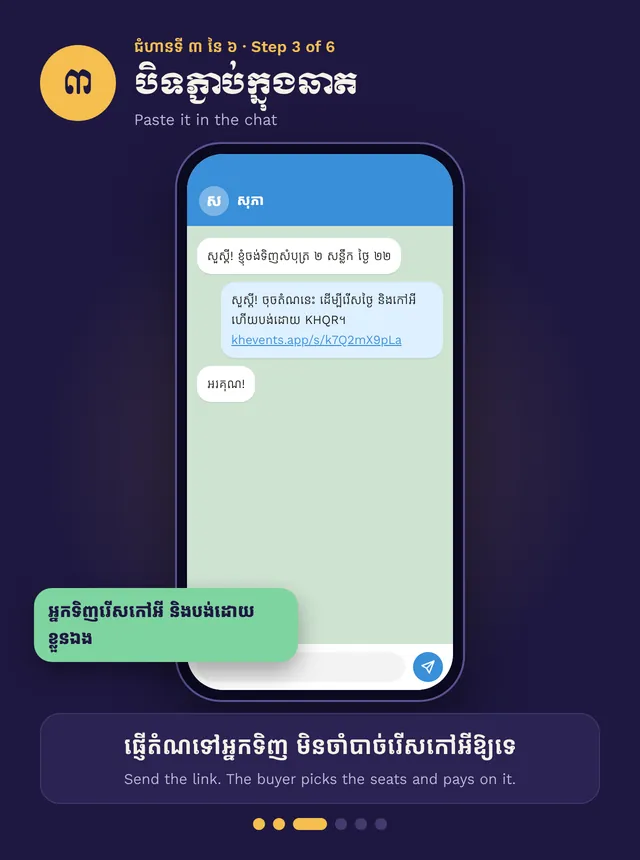
- Paste it in the buyer’s chat
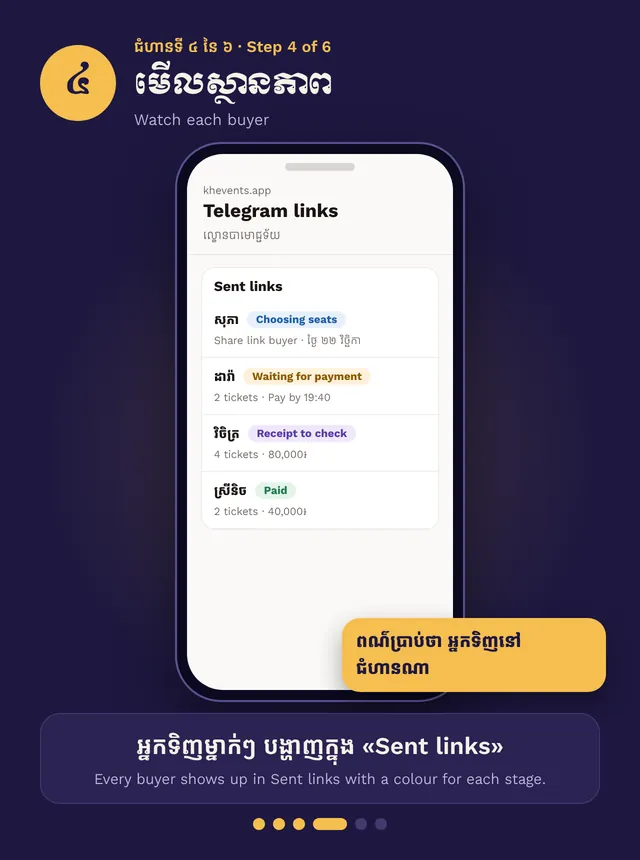
- Watch each buyer under Sent links
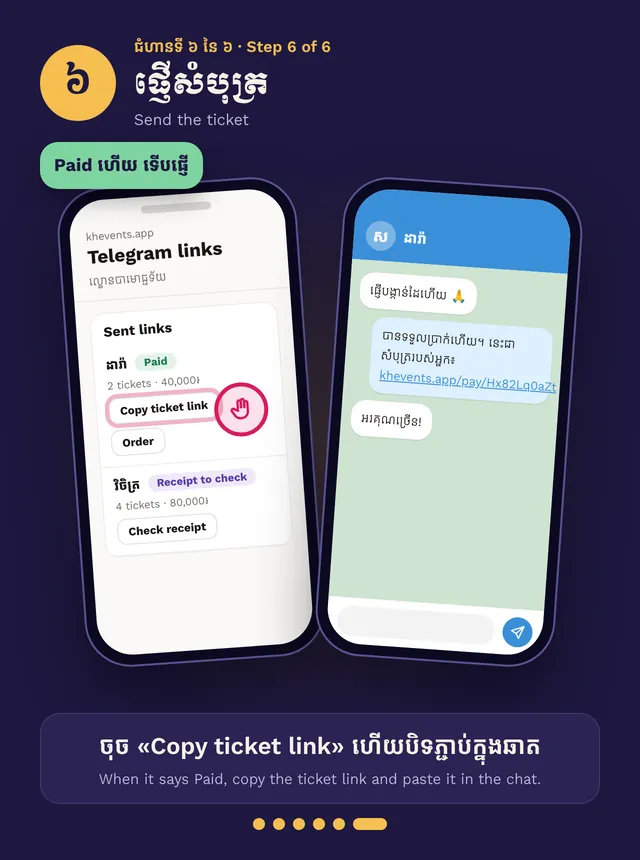
- When it says Paid, copy the ticket link to the chat
Step by step, in pictures
Sell on Telegram · Swipe for the next step. Tap a picture to open it big.
Get your link
Open your event, then Box office → All Telegram links. Tap Copy with Khmer message. Save it as a Quick reply in Telegram. Every sale on your link counts as yours.
Send it
Paste the link in the buyer’s chat. You don’t pick seats for them. They pick the night and seats, add their phone and pay on the link.
Follow each buyer
Every buyer shows under Sent links, with a colour for each stage: picking seats, waiting for payment, receipt to check, paid.
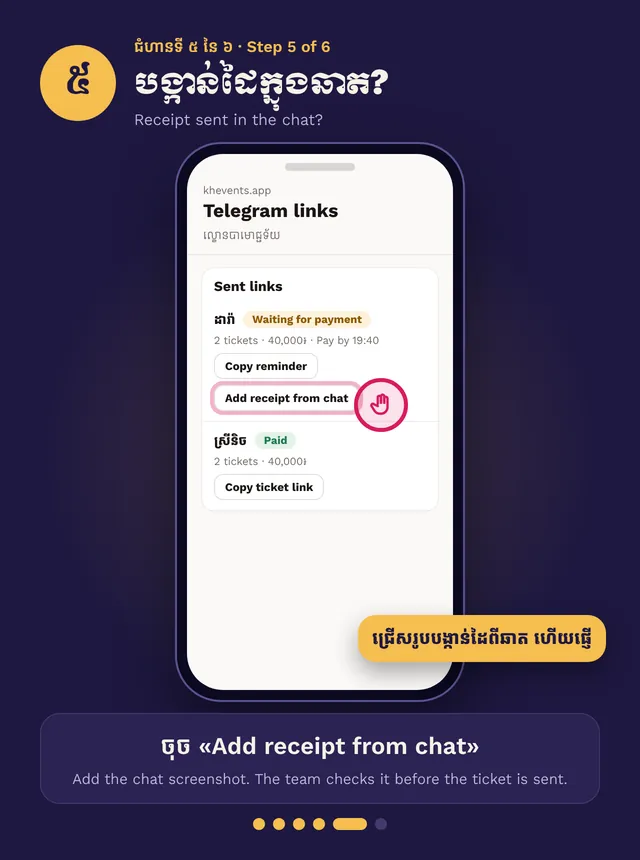
Buyer sent the receipt in the chat? Tap Add receipt from chat and add the screenshot. The team checks every receipt. Sellers can’t mark an order paid.
Send the ticket
When it says Paid, tap Copy ticket link and paste it in the chat.
Help one buyer by name
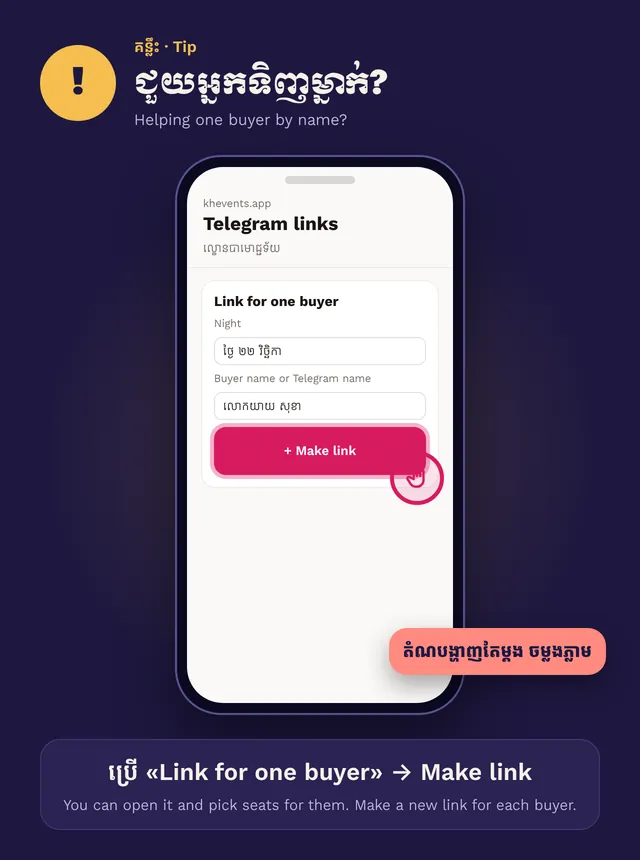
Use Link for one buyer, then Make link. It shows once, so copy it right away. You can open it and pick seats for them. Make a new link for each buyer.
Ask the buyer for their name and phone. Never ask for card numbers, bank passwords or codes.